Lost your bag? This tag helps you get it back.
Put a Re-Claim tag on your suitcase or your keys. If you lose them, the person who finds them holds their phone near the tag. Your name and phone number appear on their screen, so they can ring you.
No apps. No passwords. No battery.
How it works
Three simple steps.
-
Step 1
Fill in your details
Your tag comes with a card. Follow the link on the card and type in your name and phone number.
-
Step 2
Put it on your bag
Attach the tag to your suitcase handle. The small one is the right size for hand or cabin luggage.
-
Step 3
Someone finds it
They hold their phone near the tag. Your details appear, and they can ring you.
Change your details at any time
Use the link on your card. It works on your phone, tablet or computer.
Change your number or flight
Update it before a trip. The tag shows the new details straight away.
Only you can change it
Your link is private. Nobody else can change what your tag shows.
Check what finders will see
Preview what your tag's page looks like before you travel.
Lost your card?
Call us on 07879 841769 and we'll send you a new link. The old one will stop working.
Which one is right for you?
Both tags work the same way. Drag the tag to see the back.
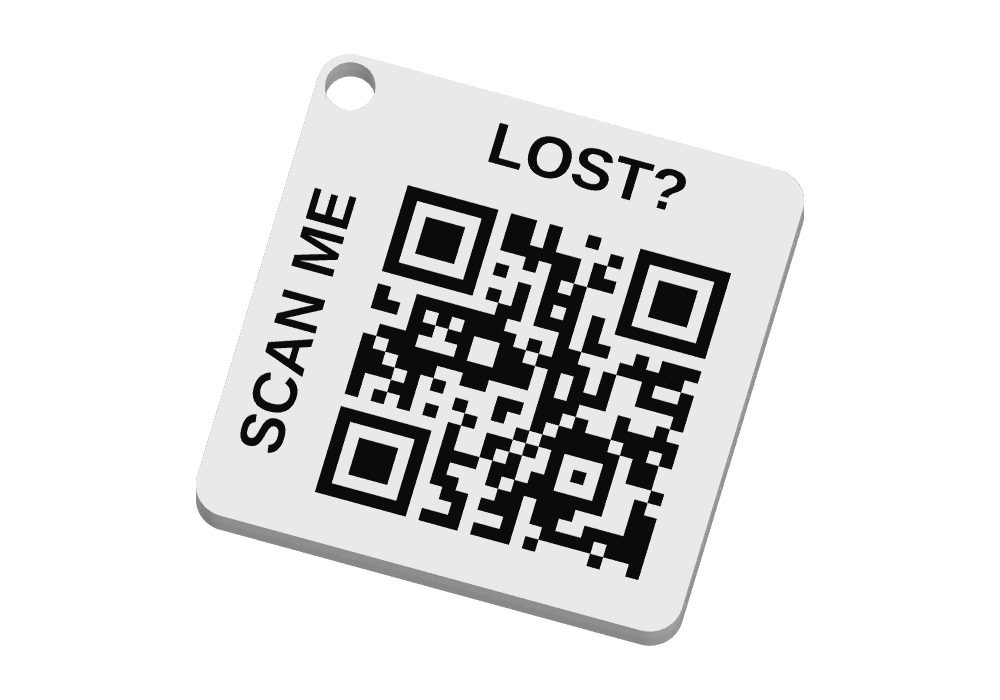
Cabin tag
4.5 × 4.5 cm
The small tag, for hand or cabin luggage. “LOST? SCAN ME” is printed on the front.
£4
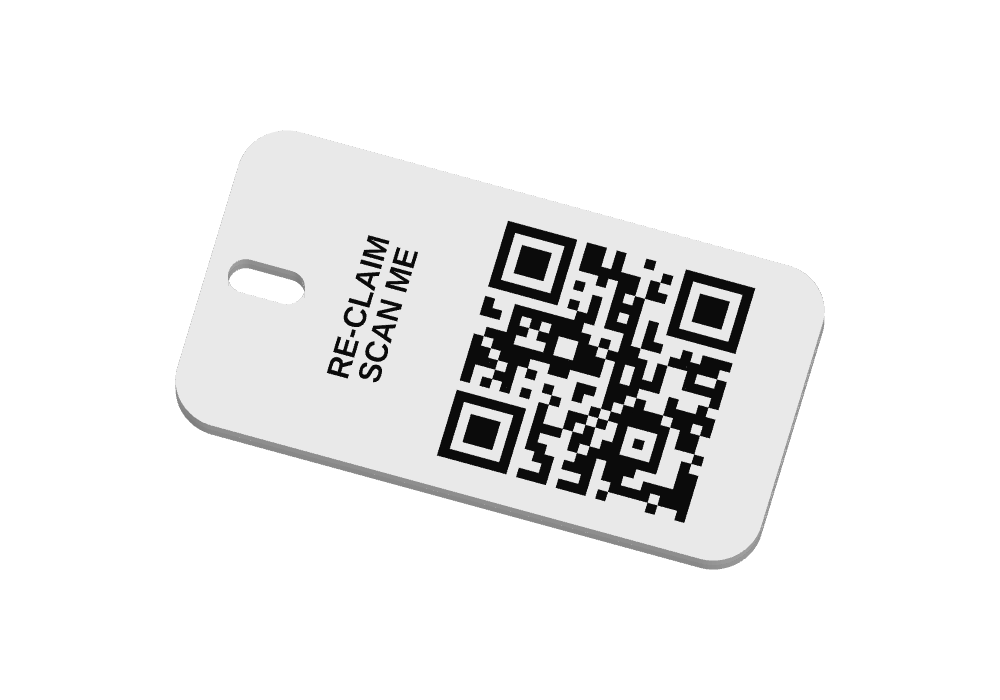
Luggage tag
8.5 × 4.5 cm, about the size of a bank card
Has your name printed on the front. Fits on a suitcase handle.
£6
Want both?
A cabin tag and a luggage tag together.
£9
Save £1Call us on 07879 841769 to order either tag, or both.
Questions
Does the finder need an app?
No. They just hold their phone near the tag. Or they can point their camera at the square code.
Does it need a battery?
No. It never needs charging.
Do I need a password?
No. The link on your card is all you need. Keep the card somewhere safe.
Already have a tag?
Find the card that came with it. Follow the link on the card to add your details.
Lost the card? Call Re-Claim support on 07879 841769 and we'll help.